
Aqilla uses an agile software development methodology which results in frequent releases of new versions. Aqilla customers do not need to take any action; their instances are automatically upgraded - usually out of working hours for the majority of Aqilla customers.
You can see details about the version of Aqilla you are using (everybody is using the same version) by hovering your pointer over the Aqilla logo.
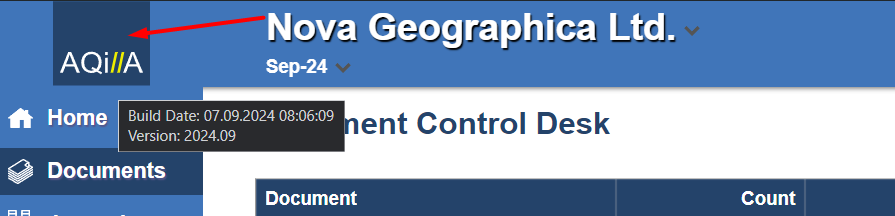
Our current version naming convention is YYMM.v where YYMM represents the release year and month and v represents a minor change - e.g. 1706.2
Aqilla users will receive notification of new releases if they have registered for our newsletter.
If you are an Aqilla user and you are not getting notification of new releases (and want to) please contact us.
You will sometimes see the following message when you logon to Aqilla:
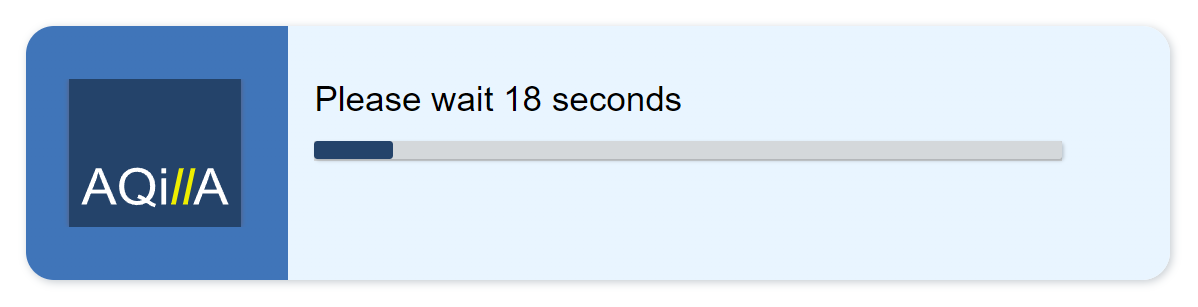
This just tells you that you are the first person to logon to the instance in question after a new version has been released.
Release notes for major releases after 01 Jan 2014 are included by reference in this help. You can see all major release notes in this section.
All releases include maintenance, fixes and security updates in addition to the documented functional enhancements.