Enquiry Filter Operators
The many operators you can use in criteria are self-explanatory and include:
|
ANY |
Will show all data in the output |
|---|---|
|
= |
Equal to an exact value |
|
NOT EQUAL |
The opposite of the above. |
|
< |
Less than |
|
<= |
Less than or equal to |
|
> |
Greater than |
|
>= |
Greater than or equal to |
|
BLANK |
Only blank fields will be shown |
|
NOT BLANK |
Only non-blank fields will be shown |
|
BETWEEN |
Search between a range of two values. |
|
NOT BETWEEN |
Search everything else, except this range of values. |
LIKE/NOT LIKE operator
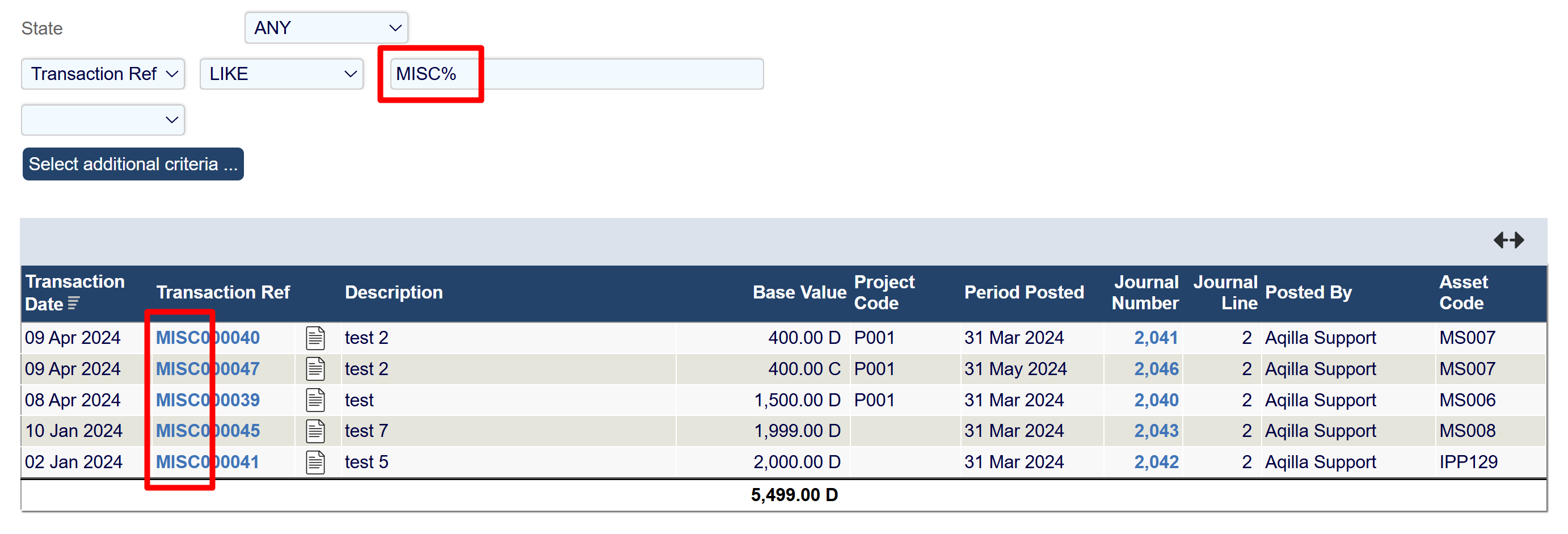
The LIKE operator performs partial searches using “%” in the search field.
Use it as a prefix or suffix to list transactions or data containing key characters before or after the %.
For example, the LIKE filter below searches for transactions with the prefix “MISC”.
Transaction Ref - LIKE - MISC%
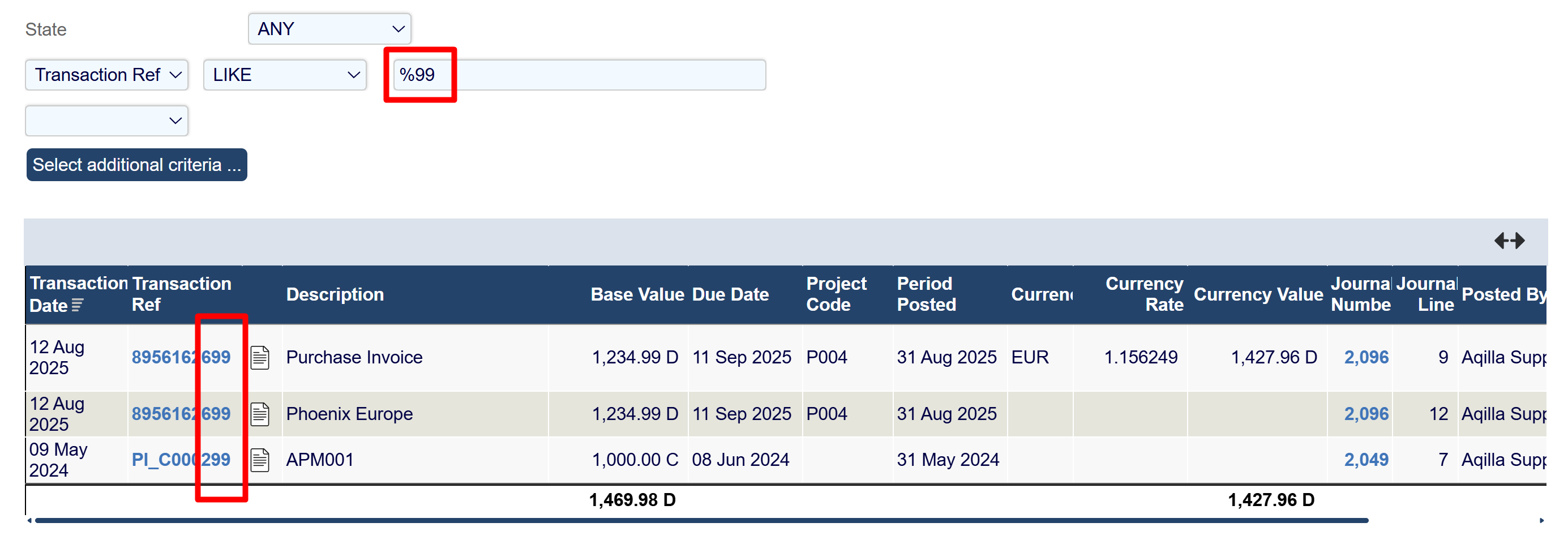
The same principle applies if % precedes the key characters as a suffix.
For example, the LIKE filter below searches for transactions ending with “99”.
Transaction Ref - LIKE - %99
NOT LIKE - the inverse of the LIKE operator.
IN operator
The IN operator chains multiple data items in the filtering process. Instead of filtering one or all items, you can select and chain several.
This works well when filtering a few transactions or reference data like projects from a list. It applies to nearly all data types.
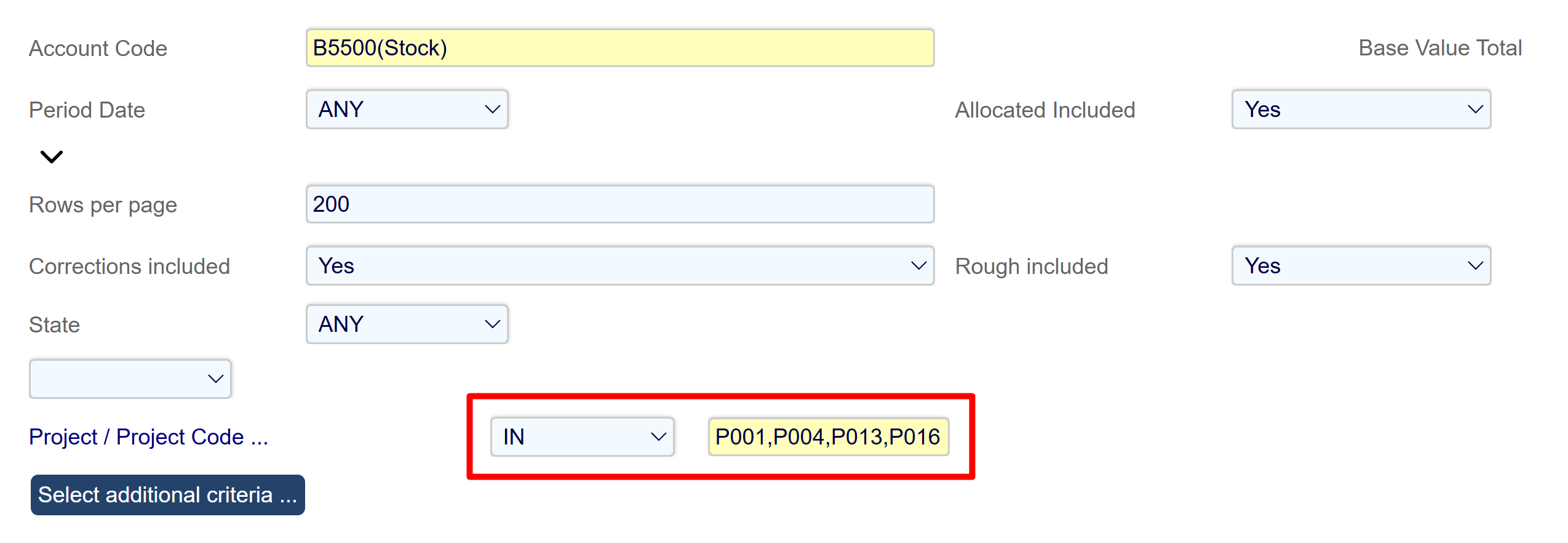
For example, to filter specific projects, use the filter:
Project - IN - P001,P004,P013,P016
Note that there should be no commas between data sets when chaining.
EQUAL/NOT EQUAL ABS operator
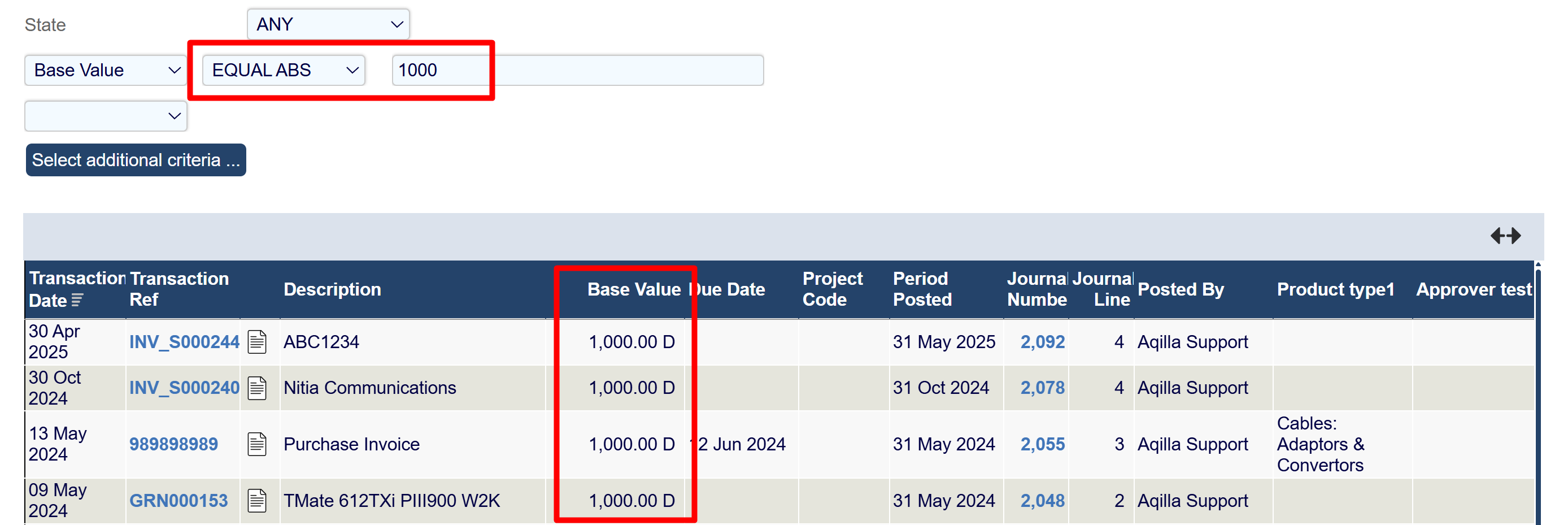
The EQUAL ABS and NOT EQUAL ABS for values fields only, and refers to equaling to an absolute value.
For example:
Base Value - EQUAL ABS - 1000 will return any transaction that has a value of either 1000.00 C or 1000.00 D.
Base Value - NOT EQUAL ABS - 1000 will return any transaction which excludes the values 1000.00C/D.
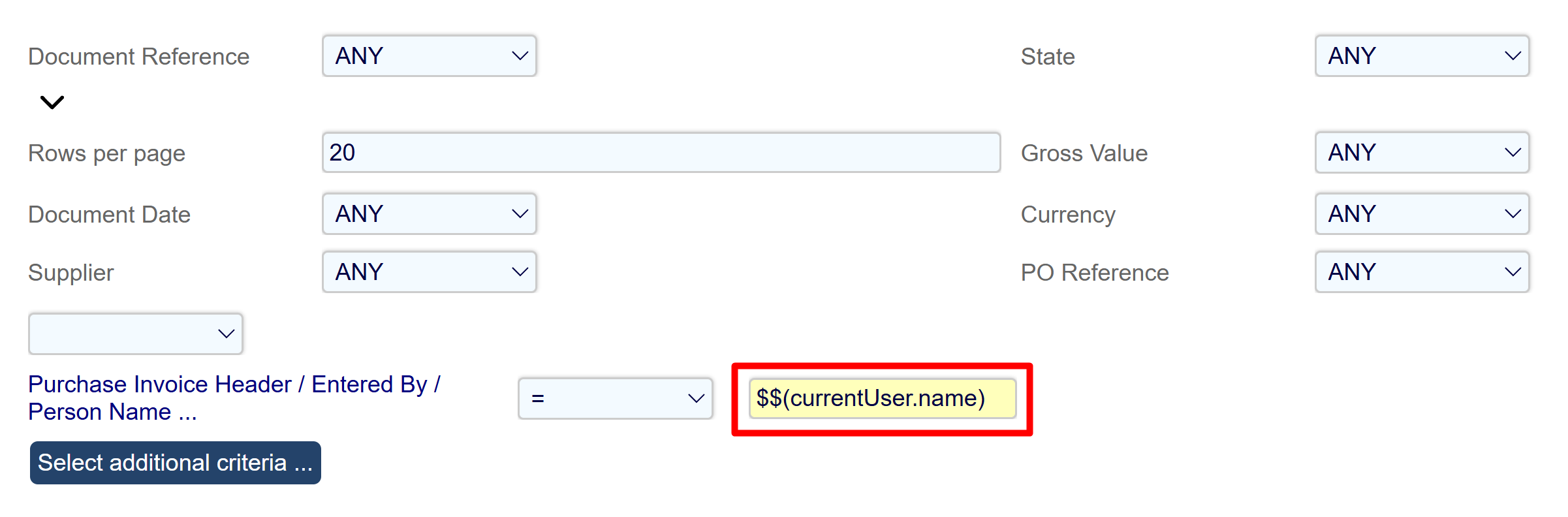
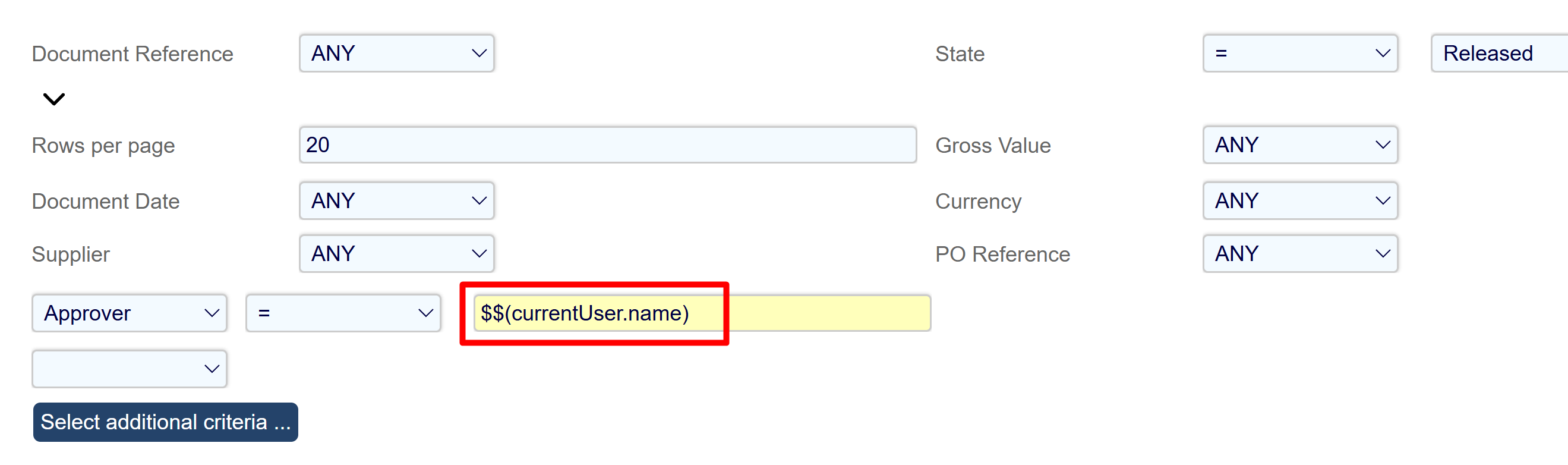
Operator script to find transactions relevant to the Current User.
A script works with the operator to filter transactions relevant to the current user logged into Aqilla.
This often locates documents entered by the current user or documents for an approver logged into Aqilla.
For example:
PI Header/EnteredBy/PersonName = $$(currentUser.name)
Approver = $$(currentUser.name)
This script works well with enquiry profiles, allowing a single enquiry profile for Approvers instead of one for each approver, streamlining setup.